Make a template
Create an EffectCraft template (.ectemplate) with controls that lakreet-swarm can drive from your data file.
Prerequisites
- EffectCraft 0.8.0+ installed
- Basic familiarity with EffectCraft compositions
Step 1: Create a composition
- Open EffectCraft
- Create a new composition: Composition ▸ New Composition
- Set resolution, duration, frame rate (e.g., 1920×1080, 10s, 30fps)
Step 2: Add layers to personalize
Add text layers, shape layers, or footage that you want to vary per video.
Example: A lower-third with a name and title.
Step 3: Expose controls to Essential Graphics
For each property you want to control from CSV/JSON:
- Select the layer in the timeline
- Open Animation ▸ Add Property to Essential Graphics
- Choose the property (e.g., Source Text, Opacity, Position, Scale)
- Repeat for every property you want to drive from data
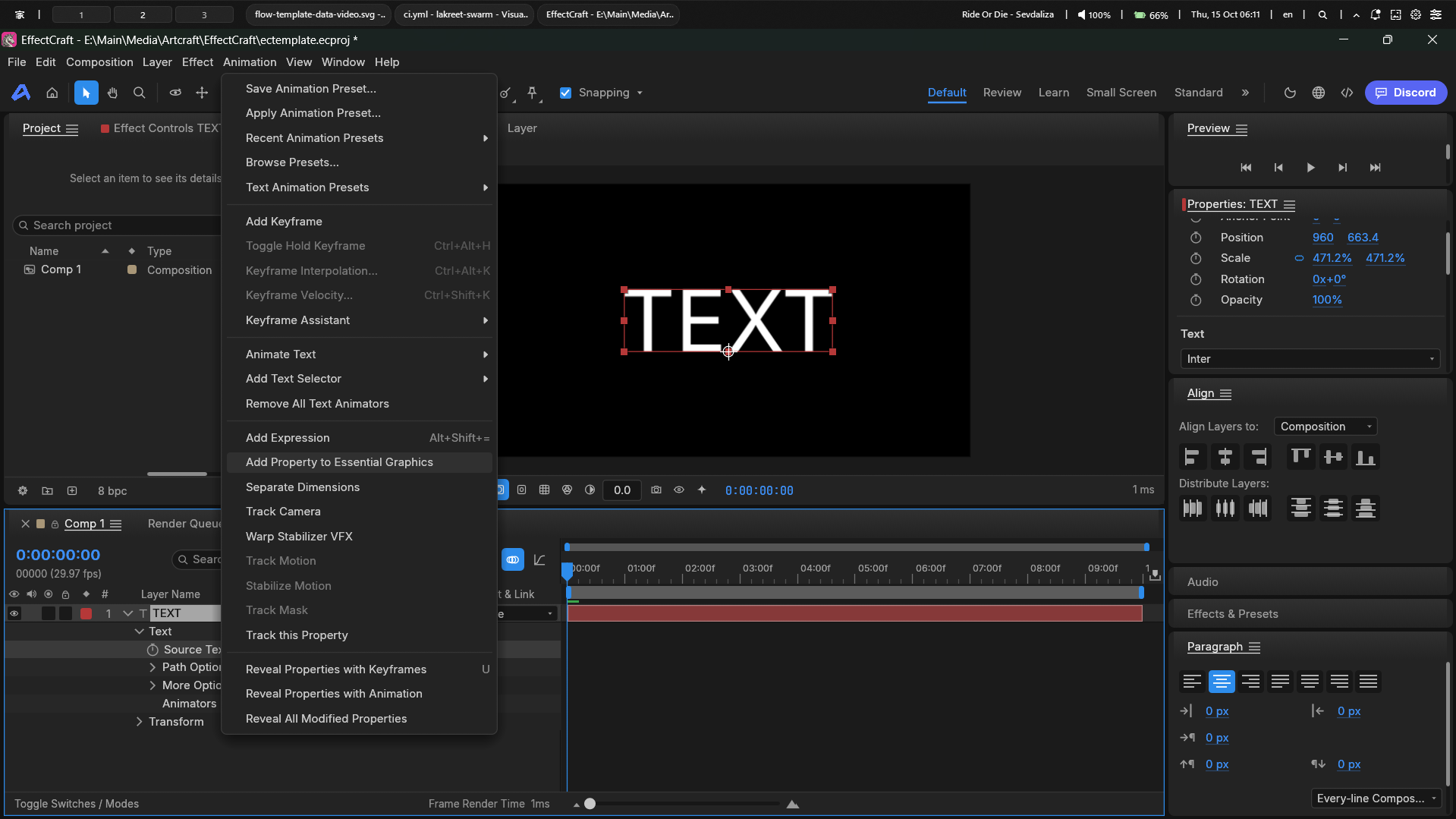
Control naming matters:
- The name in Essential Graphics must match your CSV column header (or use column mapping)
- Use clear names:
Source Text,Opacity,Logo,Background Color
Step 4: Export as .ectemplate
- File ▸ Export ▸ Essential Graphics Template...
- Choose a folder and filename (e.g.,
my-template.ectemplate) - Click Save
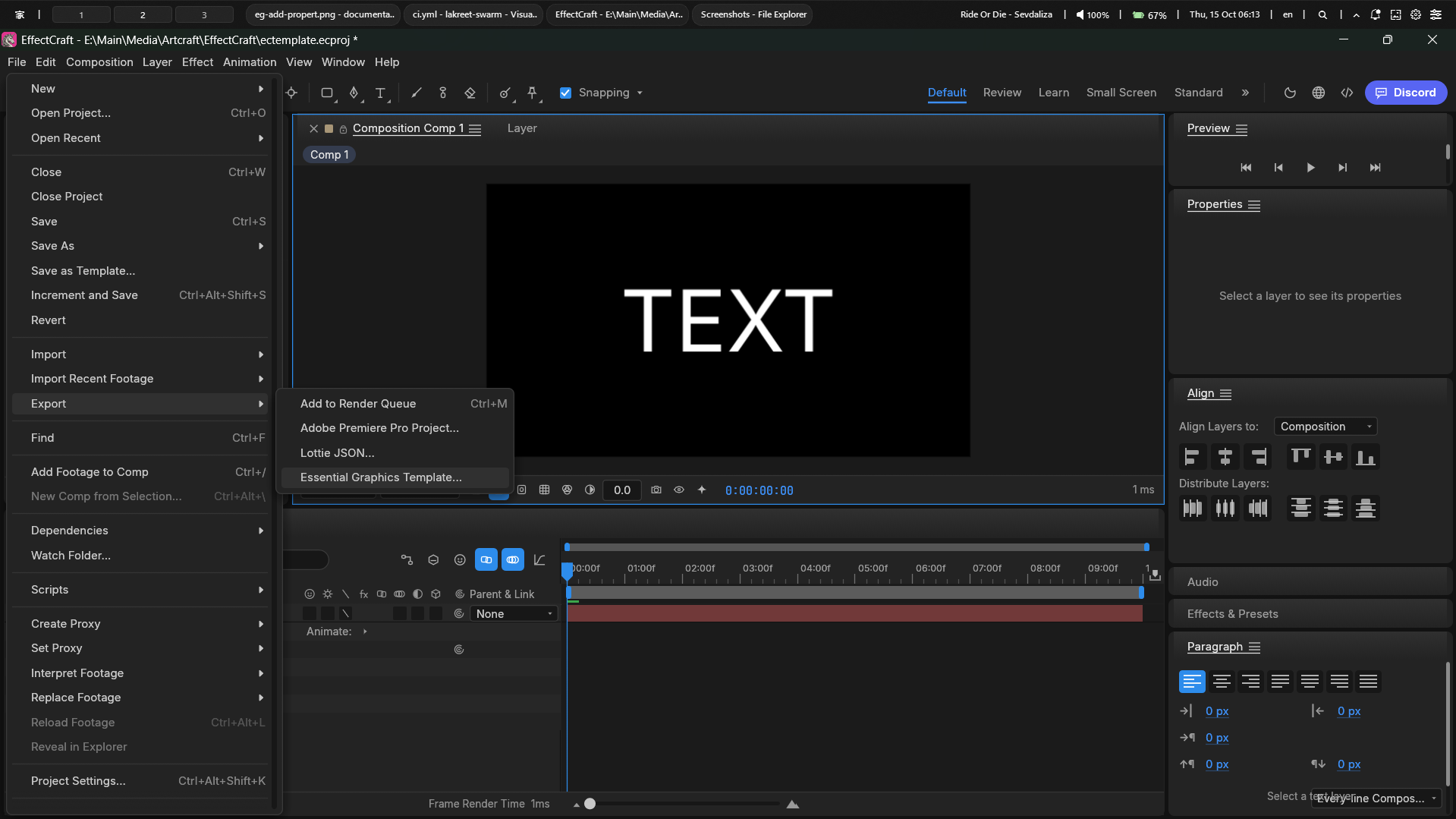
The exported .ectemplate is a ZIP containing:
manifest.json— controls, media, composition metadataproject.ecproj— full EffectCraft projectposter.png— thumbnail
Step 5: Inspect the template
Verify lakreet-swarm sees the controls correctly:
bash
lakreet-swarm inspect my-template.ectemplateExample output:
Template: my-template.ectemplate
  name:     Comp 1
  size:     1920x1080
  duration: 10.01s @ 29.97 fps
  generator:EffectCraft 0.8.0

Controls (2):
  - Source Text  (text)  default="Your Name"
  - Opacity  (slider)  default=100
JSON output for automation
bash
lakreet-swarm inspect my-template.ectemplate --jsonjson
{
  "name": "Comp 1",
  "width": 1920,
  "height": 1080,
  "duration": 10.01,
  "frameRate": 29.97,
  "controls": [
    { "name": "Source Text", "type": "text", "value": "Your Name" },
    { "name": "Opacity", "type": "slider", "value": 100 }
  ],
  "media": []
}
Supported control types
| Type | Essential Graphics | CSV/JSON input |
|---|---|---|
text | Source Text | Any string |
slider | Opacity, Position, Scale, Rotation | Numbers only |
checkbox | Checkbox Control | true/false, yes/no, 1/0, ya/tidak |
Planned:
color,point,media— not yet supported in EffectCraft pipeline.
Common pitfalls
| Issue | Fix |
|---|---|
Control not showing in inspect | Re-export template after adding to Essential Graphics |
| "Column X is not a control" | Match CSV header exactly to control name, or use columns mapping in config |
| Media not replaceable | Media replacement uses EffectCraft pipeline mode (essential.set), not --values. See Media guide. |
Next steps
- Templates concept — anatomy of
.ectemplate - Prepare a CSV — format your data file
- Your first batch — render with your new template